Should You Host Your Online Course on WordPress?
The moment an organisation decides to publish an online course, the visible question appears deceptively simple. Where should the course live? A hosted platform promises an immediate environment where lessons can be uploaded and students can log in. A WordPress plugin suggests that a learning system can be installed in much the same way as any other feature on a website. Some organisations simply add a section to their existing site and treat the course as another group of pages. Yet the decision rarely concerns location alone. A course area is not simply a container for course content. It is a system that organises material, recognises students, manages access, and presents a curriculum in a way that remains coherent as the programme evolves.
From the outside most course platforms appear remarkably similar. A student logs in, views a curriculum, and opens lessons one after another. The interface feels orderly and familiar, and this familiarity can make the underlying technology appear uncomplicated. Platforms often reinforce this impression by presenting course creation as a quick process: upload the course content, arrange the lessons into a sequence, and publish the programme for students. Because the visible experience is calm and predictable, the platform itself can appear almost incidental.
What remains largely invisible in that presentation is the structural work the platform must perform. A functioning course environment must manage several relationships at the same time. Courses contain lessons, and lessons belong to particular courses. Those lessons may be grouped into units or modules that shape the curriculum. Some lessons appear immediately while others open later as the programme unfolds. Students gain access through enrolment or purchase, and the system must recognise those accounts whenever they return. The interface therefore represents the outcome of a deeper structure organising these relationships.
Once this underlying structure becomes clear, the question of where a course should live begins to shift. The real issue is not simply where course content is hosted but how the platform itself stores and retrieves information. A course system must recognise different kinds of content and maintain the relationships between them reliably over time. When that structure is weak, the platform may function initially but becomes increasingly difficult to extend. When the structure is clear, the interface can remain simple even as the course library expands and the curriculum becomes more complex.
A custom course build within WordPress begins by defining these relationships directly. WordPress documentation describes custom post types as a method for registering specialised content structures within the platform so that they can be managed independently from standard posts and pages. In a course environment this allows courses and lessons to exist as distinct forms of content, each with its own role inside the system and its own relationship to the wider curriculum.
Treating lessons as a defined content structure allows the platform to recognise the curriculum rather than merely display it. A lesson is no longer simply a page placed inside a menu. It is an item that belongs to a course and can be retrieved wherever that relationship becomes relevant. WordPress is designed to organise information in this way, and custom post types allow the course platform to make use of that underlying capability. The curriculum becomes something the system understands rather than something assembled manually.
The benefit of this approach becomes clearer as the course library grows. When the platform understands the relationship between courses and lessons, it can present that relationship automatically across the site. Course pages can display their lessons without manual editing. Lesson templates can reference their parent course consistently. Instead of maintaining a fragile arrangement of pages, the system retrieves the information it needs from a structured model of the curriculum. The course area therefore becomes easier to expand because the relationships already exist within the platform itself.

Online courses may look like simple pages, but behind them sits a carefully organised structure of lessons, access, and curriculum.
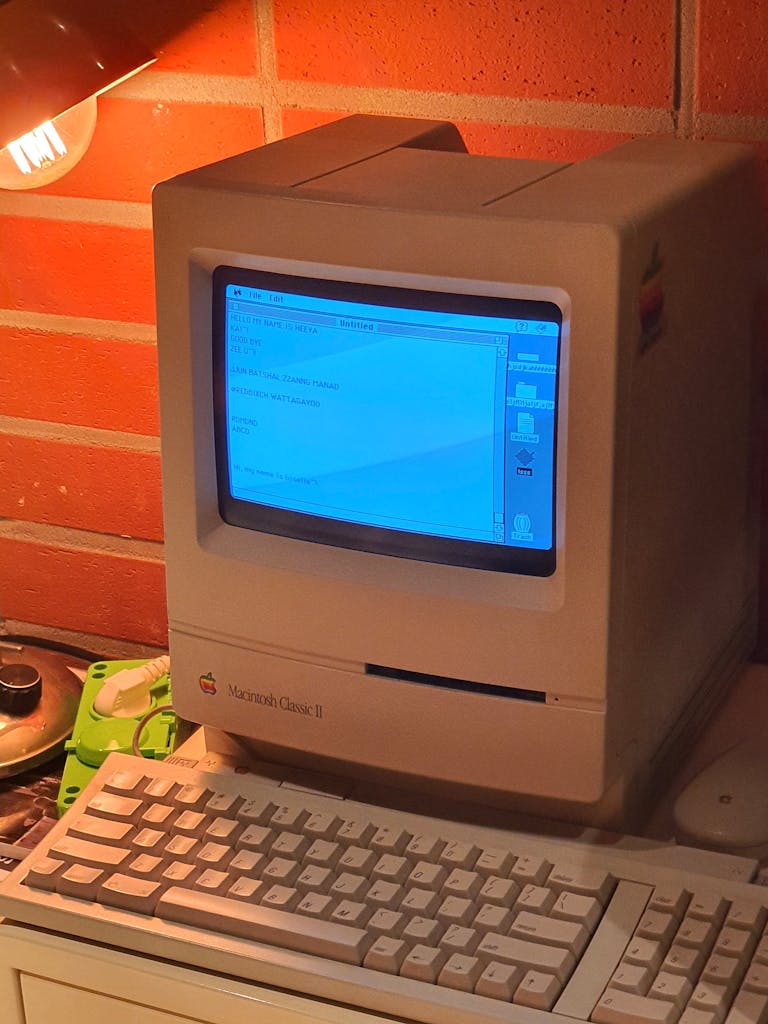
A course platform is not simply a set of pages. It is a system that organises lessons, permissions, and students behind the scenes.
Advanced Custom Fields is frequently used to define the information that belongs to each element of that structure. According to the ACF documentation, the plugin allows developers to introduce custom fields to WordPress content so additional information can be stored in a consistent format. Within a course platform those fields may represent lesson availability dates, downloadable materials, external resources, or the relationship between lessons and their parent course.
Storing this information as structured data allows the platform to remain stable as the curriculum changes. The site does not rely on page layouts to determine what information belongs where. Instead templates retrieve the stored values and display them automatically. A lesson page can show resources only when they exist. A course page can retrieve its lessons through a defined relationship. The organisation of the curriculum therefore exists within the platform itself rather than in the arrangement of pages or menus.
This approach also simplifies the editorial experience for the organisation maintaining the course. Editors update fields that correspond directly to the structure of the curriculum rather than repeatedly modifying layouts. The system then presents that information consistently through templates. As new lessons appear, the platform continues to organise them using the same relationships that were defined when the course architecture was created. The structure remains stable even as the programme evolves.
Once the content structure is clear, the next challenge is presenting that structure in a way that remains intuitive for students. A curriculum may be carefully organised internally, but the learner encounters it through the visible interface. The design of the course area therefore becomes the means through which the platform’s internal relationships are expressed.
Within the WordPress ecosystem, frameworks such as Kadence provide the tools required for this presentation layer. Kadence documentation describes dynamic content features that allow templates and blocks to display information stored elsewhere in the site. Instead of constructing every course page manually, the design can retrieve the relevant course and lesson data directly from the platform itself.
This changes the role of the interface in subtle ways. The design is no longer responsible for organising the curriculum directly. Instead it presents the structure that already exists within the system. When a new lesson is created, the templates retrieve it from the course data and display it automatically. The interface remains visually consistent because it responds to the underlying information rather than relying on repeated layout adjustments.
Students therefore encounter a course area that feels stable and predictable. Lessons appear in the correct place within the curriculum, and the path through the programme remains clear even as new material is introduced. The design framework simply presents the structure that the platform already understands. The student experiences continuity because the system organising the curriculum remains consistent.
Access control forms another essential part of the system. In many WordPress course builds this responsibility is handled through WooCommerce, which manages transactions and user accounts within the website. A course can be treated as a product, and the purchase of that product becomes associated with the account that completed the transaction.
Once that relationship exists, the platform can determine which lessons a student is able to view. Students who have enrolled or purchased the course gain access to its curriculum, while other visitors cannot open those lessons. The system recognises returning users and presents the appropriate material automatically. Access therefore becomes another structured relationship within the platform rather than an isolated feature attached to individual pages.
Because the course area exists within the same website environment, it can also connect naturally with the organisation’s other content. Articles, services, and resources remain part of the same platform rather than living on separate systems. The course area becomes one element within the broader architecture of the website instead of a separate application hosted elsewhere. This integration allows the learning environment to evolve alongside the rest of the organisation’s work.
For organisations considering how to publish an online programme, the decision is therefore less about launching a course quickly and more about choosing the structure that will support the programme over time. Hosted platforms provide convenience and can be appropriate when the requirements remain simple. In other situations the organisation may prefer a platform that belongs fully to its own website and can evolve alongside its work.
This is the perspective that informs course platform projects at Honest Designs. The aim is not simply to assemble pages that resemble a course dashboard. The aim is to design the underlying system that allows the curriculum, student access, and interface to function together coherently.
WordPress provides the structural architecture for that system. Advanced Custom Fields defines the data relationships that shape the curriculum, and Kadence presents those relationships through templates that remain consistent as the course grows. Each component plays a different role, yet together they allow the course area to behave as part of the website rather than as an isolated tool.
When those elements are aligned, the result does not appear complicated to the student. The interface remains calm and predictable. Lessons appear in sequence, access behaves reliably, and the curriculum unfolds in a way that feels natural. Beneath that simplicity sits a platform designed as a system rather than a collection of pages. That structural clarity allows the course area to expand alongside the organisation’s work while remaining integrated with the website that hosts it.